How to share notes with Zoho
How to share calls with Zoho from iovox Mobile:
- Share call with Zoho
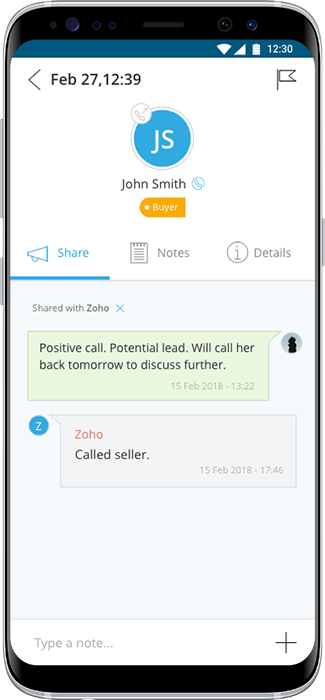
- Wait until you see text changes from 'Sharing with Zoho..' to 'Shared with Zoho..'
- Add comments into the 'share' section
- These will appear as 'notes' in Zoho CRM
After you share a call with Zoho, you can share notes into Zoho as seen in the image below.
How to share calls with Zoho from iovox Web:
-
In the Calls View, tap to highlight the call you would like shared with your Zoho CRM account. The highlighted call will be light blue in the call history.
-
Once the call is highlighted, tap the ‘Share Call’ icon, next to the garbage can in the top right-hand corner of your screen.
-
In the ‘Share Call’ popup window tap ‘Share with Zoho CRM’.
-
A pop up will let you know that the call has been shared successfully with Zoho